Search...

Out of support

Search...

Out of support

Introduction

Introduction

The Discovery Agent is the AI assistant that helps you find and explore the resources of the Platform by asking questions in natural language, instead of browsing the catalogs and using filters.

The Discovery Agent is available only if enabled for your installation. In the current version it is available to the Owner.

You can ask the Discovery Agent, for example, to:

  • find APIs, MCP servers, AI Agents and other digital products, as well as assets, applications, subscriptions, organizations and documentation;

  • show the details of a resource, for example the OpenAPI specification of an API or the descriptor of an MCP server or of an AI Agent;

  • explain concepts of the Platform, for example what a subscription is or what the Discovery Agent can do.

The Discovery Agent answers in the language of your question and, when useful, can show diagrams. Before each step it tells you briefly what it is about to do. It answers only questions related to the Platform and its resources.
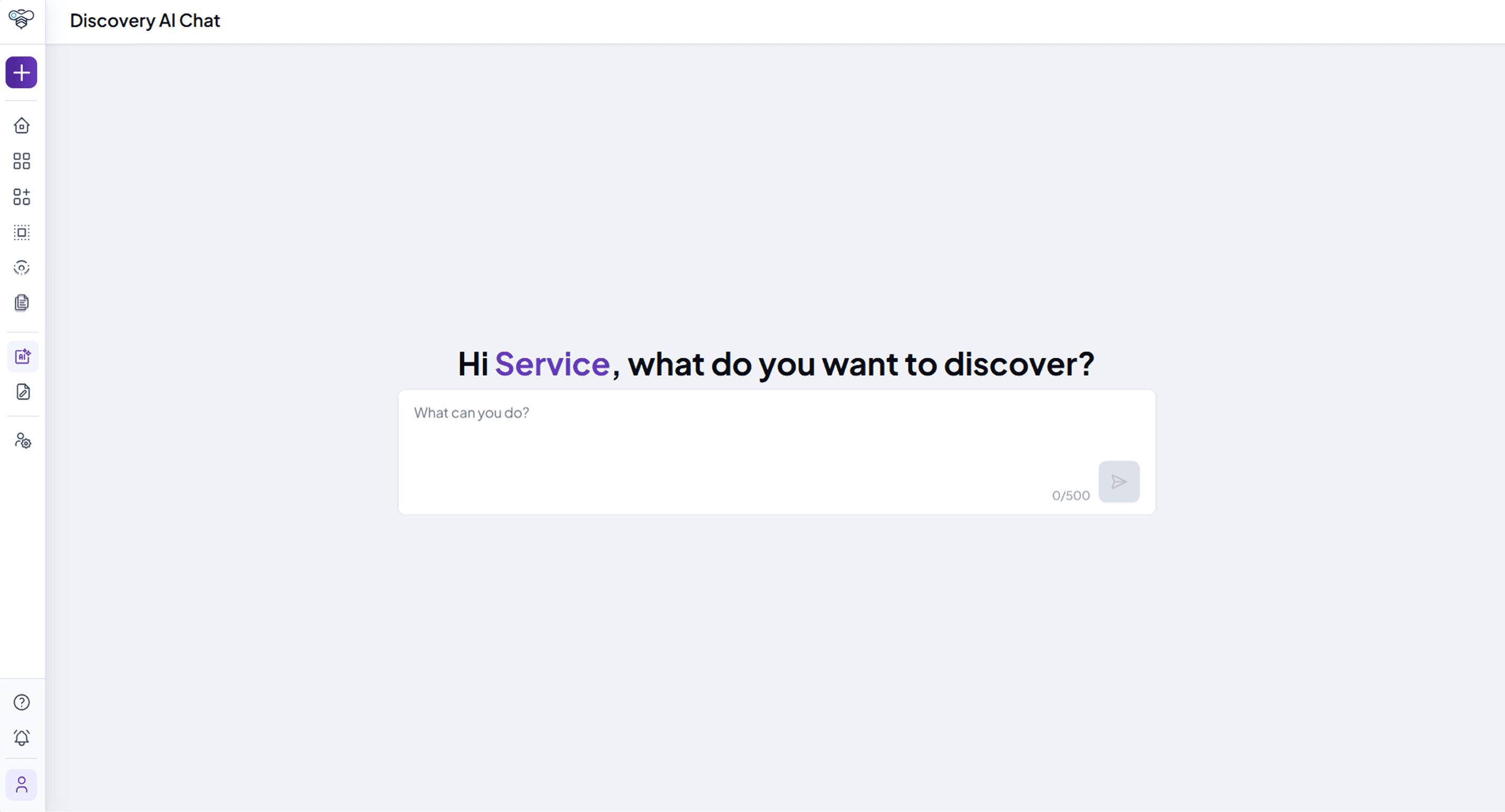
Discovery AI chat with the prompt box asking what the user wants to discover

Using the Discovery Agent

Prerequisites:

  • The Discovery Agent is enabled for your installation and for your user.

Steps:

  1. Click Discovery AI in the AI Tools section of the sidebar. If the home page includes the discovery widget, you can also type your question there: the Discovery Agent opens and answers it.

  2. Type your question in the message field (for example What can you do? or Which APIs are available for payments?) and send it.

  3. Read the answer and continue the conversation with further questions, for example to see the details of one of the resources found.

  4. Click Reset chat to clear the conversation and start a new one.

Post-Conditions:

  • The Discovery Agent answers using the information available in the Platform.

Tips:

  • Ask specific questions: messages are limited to 500 characters.

  • When a search finds many results, the Discovery Agent works on the first ones. Refine the question to narrow the results.

  • The conversation is kept: when you open the Discovery Agent again, you find the previous messages, until you reset the chat.

  • Always check the information in the detail pages of the resources before using it.

Documentation menu

Introduction

Table of Contents

Introduction

The Discovery Agent is the AI assistant that helps you find and explore the resources of the Platform by asking questions in natural language, instead of browsing the catalogs and using filters.

The Discovery Agent is available only if enabled for your installation. In the current version it is available to the Owner.

You can ask the Discovery Agent, for example, to:

  • find APIs, MCP servers, AI Agents and other digital products, as well as assets, applications, subscriptions, organizations and documentation;

  • show the details of a resource, for example the OpenAPI specification of an API or the descriptor of an MCP server or of an AI Agent;

  • explain concepts of the Platform, for example what a subscription is or what the Discovery Agent can do.

The Discovery Agent answers in the language of your question and, when useful, can show diagrams. Before each step it tells you briefly what it is about to do. It answers only questions related to the Platform and its resources.

Discovery AI chat with the prompt box asking what the user wants to discover

Using the Discovery Agent

Prerequisites:

  • The Discovery Agent is enabled for your installation and for your user.

Steps:

  1. Click Discovery AI in the AI Tools section of the sidebar. If the home page includes the discovery widget, you can also type your question there: the Discovery Agent opens and answers it.

  2. Type your question in the message field (for example What can you do? or Which APIs are available for payments?) and send it.

  3. Read the answer and continue the conversation with further questions, for example to see the details of one of the resources found.

  4. Click Reset chat to clear the conversation and start a new one.

Post-Conditions:

  • The Discovery Agent answers using the information available in the Platform.

Tips:

  • Ask specific questions: messages are limited to 500 characters.

  • When a search finds many results, the Discovery Agent works on the first ones. Refine the question to narrow the results.

  • The conversation is kept: when you open the Discovery Agent again, you find the previous messages, until you reset the chat.

  • Always check the information in the detail pages of the resources before using it.

Documentation menu

Introduction

Table of Contents

Introduction

The Discovery Agent is the AI assistant that helps you find and explore the resources of the Platform by asking questions in natural language, instead of browsing the catalogs and using filters.

The Discovery Agent is available only if enabled for your installation. In the current version it is available to the Owner.

You can ask the Discovery Agent, for example, to:

  • find APIs, MCP servers, AI Agents and other digital products, as well as assets, applications, subscriptions, organizations and documentation;

  • show the details of a resource, for example the OpenAPI specification of an API or the descriptor of an MCP server or of an AI Agent;

  • explain concepts of the Platform, for example what a subscription is or what the Discovery Agent can do.

The Discovery Agent answers in the language of your question and, when useful, can show diagrams. Before each step it tells you briefly what it is about to do. It answers only questions related to the Platform and its resources.

Discovery AI chat with the prompt box asking what the user wants to discover

Using the Discovery Agent

Prerequisites:

  • The Discovery Agent is enabled for your installation and for your user.

Steps:

  1. Click Discovery AI in the AI Tools section of the sidebar. If the home page includes the discovery widget, you can also type your question there: the Discovery Agent opens and answers it.

  2. Type your question in the message field (for example What can you do? or Which APIs are available for payments?) and send it.

  3. Read the answer and continue the conversation with further questions, for example to see the details of one of the resources found.

  4. Click Reset chat to clear the conversation and start a new one.

Post-Conditions:

  • The Discovery Agent answers using the information available in the Platform.

Tips:

  • Ask specific questions: messages are limited to 500 characters.

  • When a search finds many results, the Discovery Agent works on the first ones. Refine the question to narrow the results.

  • The conversation is kept: when you open the Discovery Agent again, you find the previous messages, until you reset the chat.

  • Always check the information in the detail pages of the resources before using it.