Introduction
The API Designer is the environment of the Platform for creating and managing OpenAPI specifications of REST APIs. It is designed to support the entire API design process, allowing users to define, validate, and test API definitions before they are published or integrated into the customer’s API ecosystem.
Through the Designer, users can work on API specifications in a structured workspace that supports both manual editing and guided configuration, ensuring flexibility for users with different levels of familiarity with the OpenAPI standard. The Designer produces REST artifacts only: the other digital products (MCP servers, AI Agents and custom types) are described through their own templates and specifications.
The Designer allows users to perform the following activities:
View complete OpenAPI specifications
Create new OpenAPI specifications from scratch
Modify and correct existing OpenAPI specifications (by uploading an existing one, or starting from a template)
Validate specifications against the OpenAPI standard or internal rules
Test API endpoints directly from the interface
Save specifications locally for reuse or version control
Designer and the API Product lifecycle
The Designer can be opened on its own, from the Designer entry of the menu, or directly from an API Product: in the technical details of the API Product, the Go to Designer action opens its back-end OpenAPI definition in the Designer, so that producers can create or refine the specification while the API Product moves through its lifecycle.
The Designer is now integrated with the API Product lifecycle through the Go to Designer action.
Editing an OpenAPI Specification
The Designer supports alternative ways to work with OpenAPI specifications, Form and Code. Both modes operate on the same underlying specification and can be used interchangeably.
Form View
The Form View provides a guided interface for working with OpenAPI specifications through structured fields. Instead of editing the raw specification, users interact with form-based components that automatically generate the underlying OpenAPI structure.
Key characteristics include:
Structured forms for defining API elements
Simplified creation of paths, operations, and parameters
Guided input to reduce syntax errors
Automatic generation of the underlying specification
This mode is particularly useful for users who prefer a visual and guided approach to API design.

Main Form Sections and Features
The form sections on the left reflect the broader objects or sections of the OpenAPI Specification schema. They are the following:
INFO: The Info section provides metadata about the API.
TAGS: This section adds Tags that can be used for each method within each path defined for the specification. These tags can help categorize paths and methods.
SERVERS: This section defines the Servers from which the endpoints will be reached. You can define multiple servers, usually for each machine or environment that exposes the API.
PATHS: In the Paths section the user can be guided in defining all the necessary details of each endpoint and each method (GET, POST, PUT, …), including references to the data structures (schemas), parameters, requests, responses (200, 400, …), and examples.
SECURITY: This section allows the user to select which security schemes apply globally to this API. (To select items here they should be first created from dedicated Components section.)
COMPONENTS: The Components section is further divided in Examples, Headers, Parameters, Request Bodies, Responses, Schemas, and Security Schemes. These are the subsections that, in general, determine the information that can be centralized and reused in the former sections.
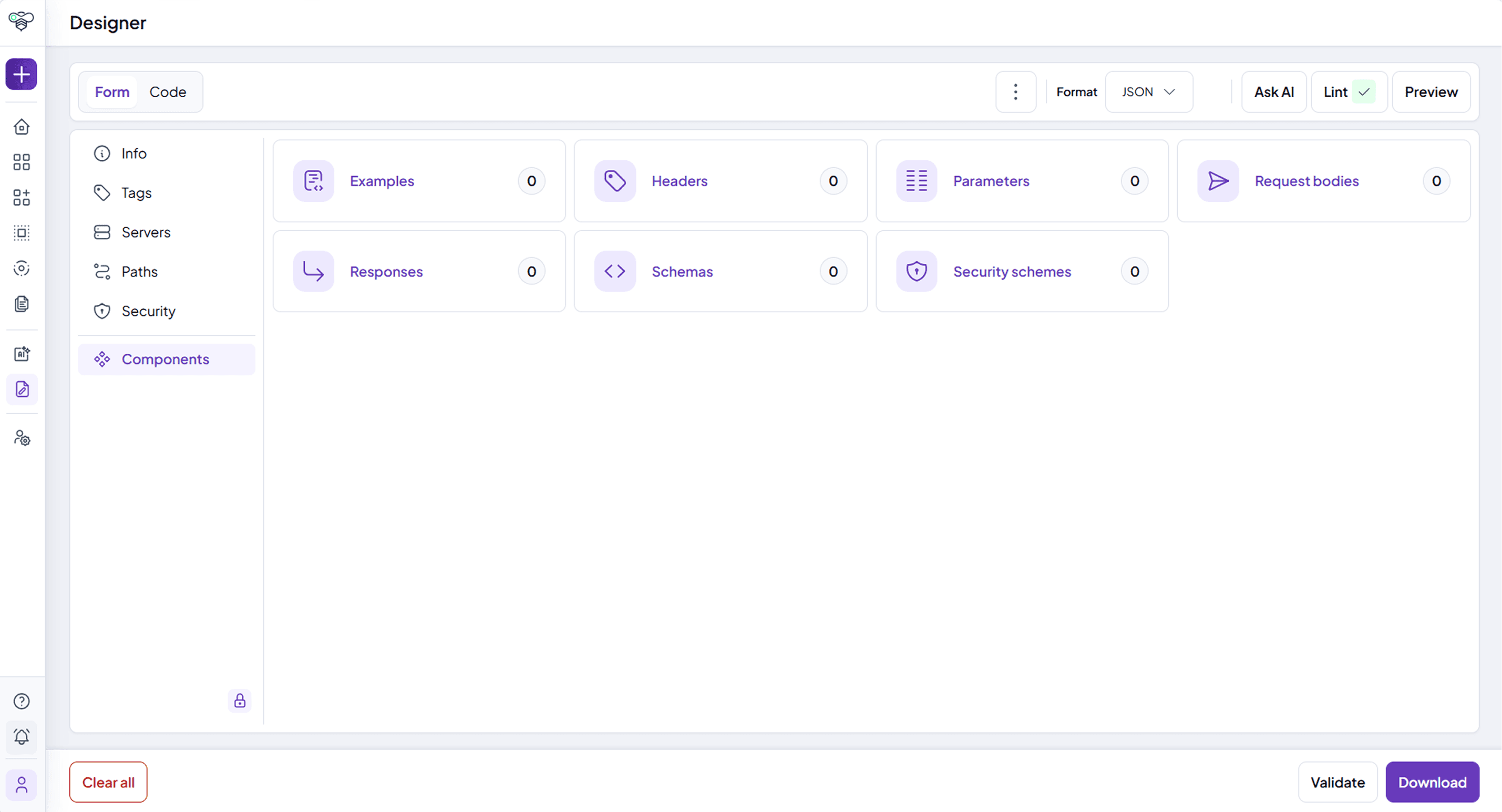
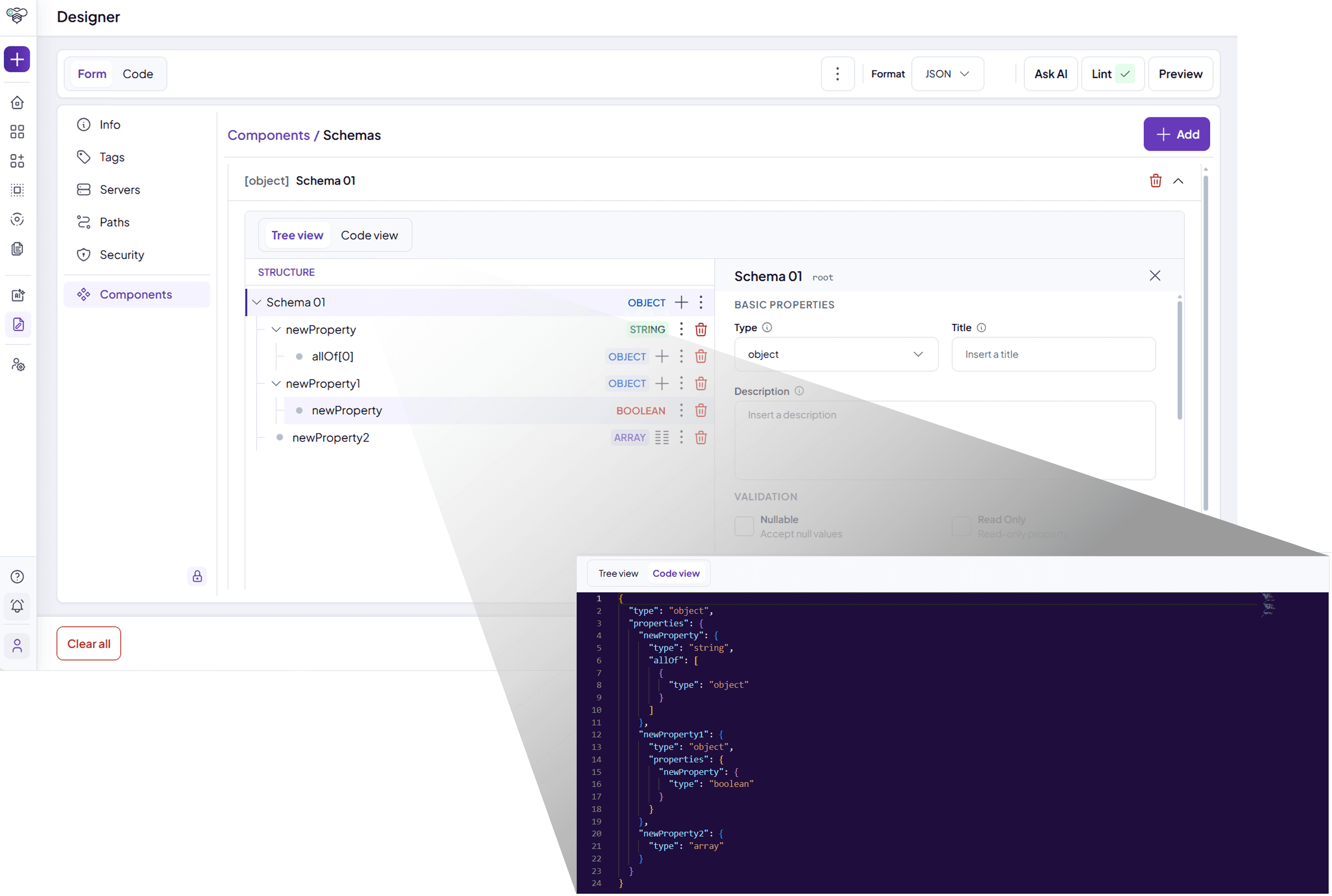
Schema builder
A particular focus deserves the Schemas section, the schema builder of the Designer, wherein users can define all reusable data structures via a guided form without working directly on the raw JSON or YAML. Users can add properties, specify their type and metadata, define nested items or child structures visualizing them in a Tree view. More expert users can always see the schemas as JSON or YAML without moving to the code view.
Code View
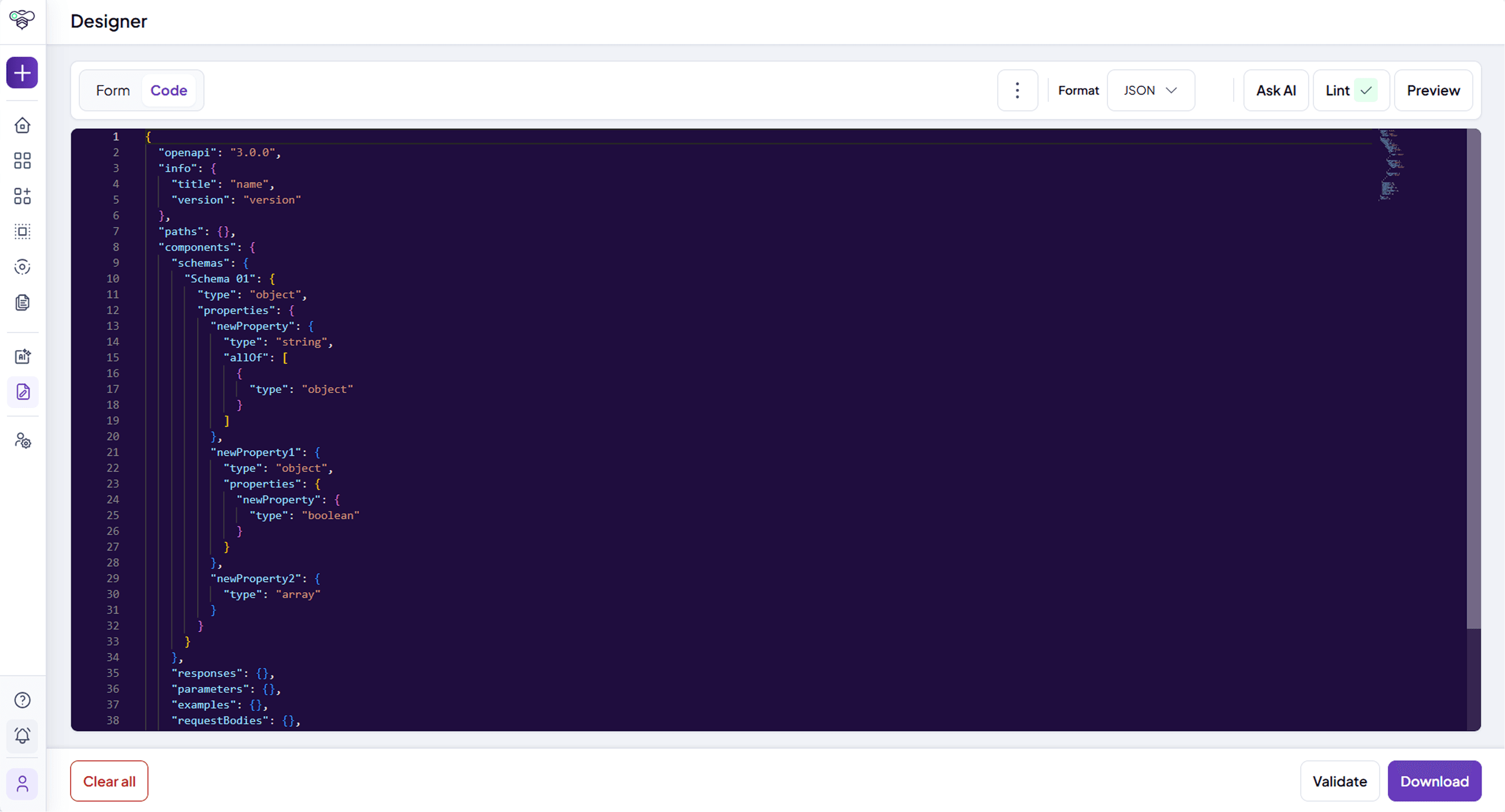
The Code View allows users to edit the OpenAPI specification directly in its source format (YAML or JSON). This mode is typically used by developers who prefer working directly with the specification syntax and need full control over the structure of the API definition.
Key characteristics include:
Direct editing of the OpenAPI document
Syntax highlighting for improved readability
Full control over the specification structure
Immediate validation feedback when errors are detected
This approach provides maximum flexibility and is particularly suitable for advanced users familiar with the OpenAPI specification format. The Designer and code editors can also be displayed with a dark theme, saved on the user's device.
If fields or parameters are added in Code View that are not syntactically valid (and therefore cannot be interpreted in Form View), they will be removed once you switch views, except for those classified as extensions (x-). Make sure any edits made in code view are syntactically valid before switching back to the Form View.
Loading Templates
Aside from uploading existing specifications, the Designer allows the user to begin from pre-existing OpenAPI specification templates. These templates can be pre-loaded on the Platform and can be inclusive of all common boiler-plate definitions, schemas, tags, etc. that are recurrent within your company’s API specifications.
Starting from a template allows designers of APIs to skip filling in repeated and common information in the OpenAPI Specs, which in turn allows companies and teams to produce consistent and compliant APIs with ease.
NOTE: When a template is loaded, any existing changes are replaced. Make sure you have saved or downloaded any previous work on the API Designer.

Validation and Preview
The Designer includes built-in validation (Lint) and Preview capabilities that help ensure API specifications are correct, and compliant with company guidelines before being published.
Validation features allow users to check the specification against:
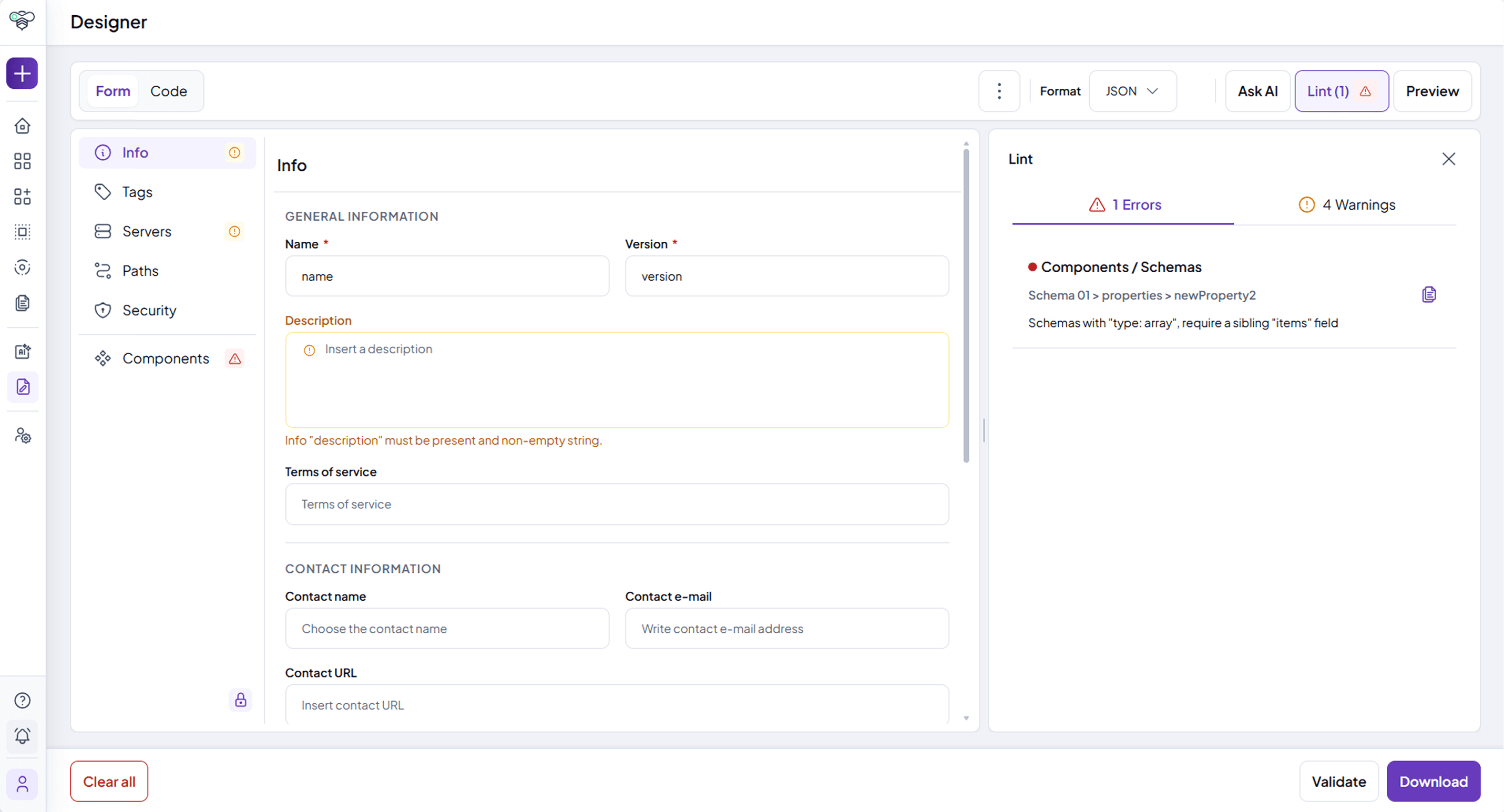
the OpenAPI standard
internal guidelines and rules or platform constraints: the Platform can be enabled to check against a set of configurable validation rules (defined by and validated with Spectral), as well as custom ones, specific to your enterprise’s requirements.
The Preview capability enables users to execute API requests directly from the Designer interface, allowing quick verification of endpoints and parameters (assuming a back-end is already available). This helps detect issues early in the design phase and ensures that APIs are properly defined before entering the lifecycle management process.
AI Assistant
The AI assistant of the Designer is available only if enabled for your installation.
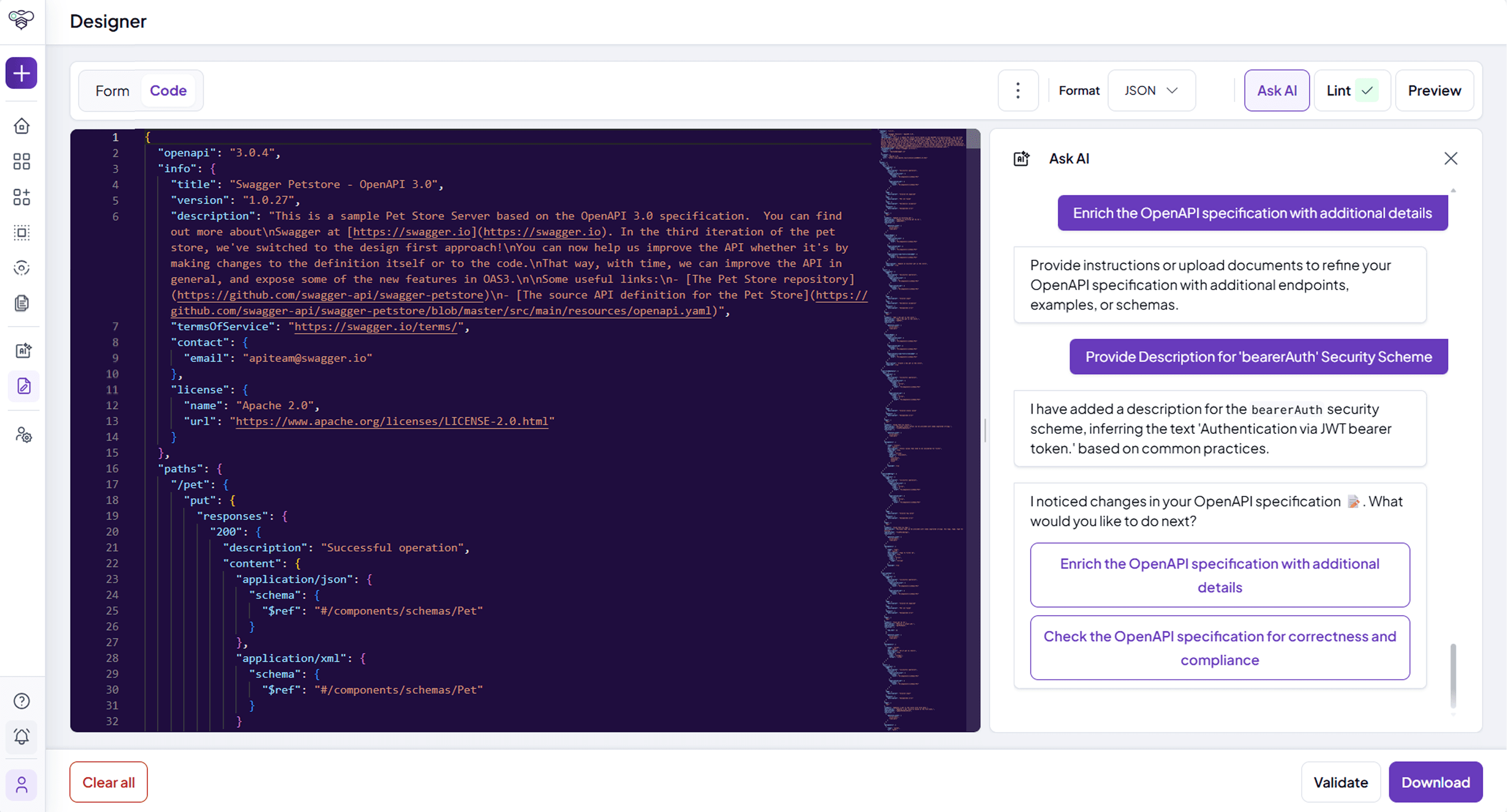
Through the Ask AI action, the AI assistant helps users create, edit and fix OpenAPI specifications, starting from a prompt and from any attached documents, and checking them against the validation rules of the enterprise. The changes it proposes are shown in Code View and must be accepted or rejected by the user.
Saving and Reusing Specifications
API specifications created in the Designer can be saved locally and reused as the basis for future APIs.
This allows teams to:
maintain local copies of their API definitions
reuse templates for similar APIs
iterate on specifications before publishing the APIs represented by those specifications from the Platform
By combining editing, validation, and testing capabilities in a single workspace, the Designer simplifies the API design workflow and helps ensure that API specifications are accurate, consistent across teams, and ready for lifecycle management within the platform.