Introduction
Overview
The Platform provides a comprehensive documentation management system designed to centralize and streamline information across an organization's ecosystem of digital products. The platform offers a structured approach to documentation, enabling users to create, manage, and control access to various informational resources, such as how-to guides, tutorials, and guidelines. By centralizing documentation, the Platform enhances collaboration, ensures consistency, and improves discoverability of key information.
Documentation in the Platform is built upon a modular structure, where multiple pages come together to form a complete knowledge base. Each document and its pages have versioning capabilities, allowing users to track changes over time and maintain historical records. Additionally, advanced visibility settings ensure that only authorized users can access specific documentation.
Documentation lives in two places:
Global documentation: documents that are not tied to a specific digital product, such as guidelines, best practices or internal processes, available in the Documentation section.
Documentation of digital products: the pages attached to each API Product and to each other digital product (MCP servers, AI Agents and custom types), written by producers in the Documentation tab of the digital product and read by consumers in the catalog.
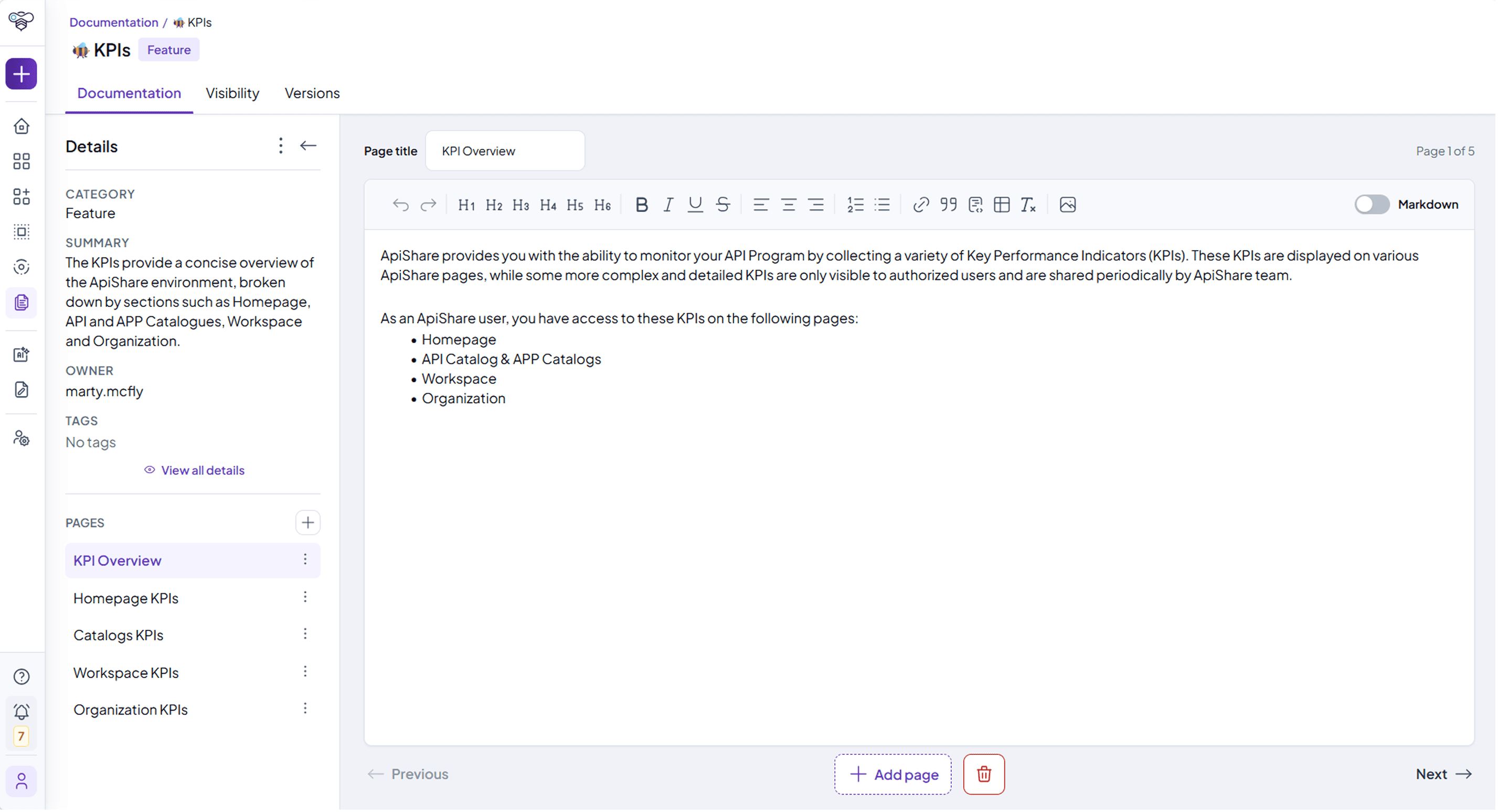
Core documentation entities
Documentation and pages
A document in the Platform represents a structured collection of pages that provide information about digital products, best practices, and internal processes. Each document consists of:
Title: The main identifier of the documentation.
Category: Classification that defines the type of documentation.
Summary: A brief overview describing the document’s content.
Pages: Individual sections within the documentation, each covering a specific topic.
Pages function as building blocks of documentation and allow for structured content organization. Each page can include formatted text, images, tables, and links, making the documentation rich and interactive.
Documentation of digital products
Each digital product has its own documentation, organized in pages with the same editor used for global documentation. Producers add, edit and reorder the pages from the Documentation tab of the digital product in the workspace; consumers browse them from the digital product page in the catalog, with an index of pages and Previous / Next navigation.
For API Products, when a new version is created the documentation is inherited but remains independent from the previous version.
The visibility of the documentation of a digital product is set in its Visibility tab, separately from the visibility of the digital product itself, and can be defined page by page.
Documentation is now available for all digital products, not only for API Products. Digital products other than APIs are available if enabled for your installation.
Versioning
Documentation in the Platform follows a versioning system, enabling users to track modifications and maintain historical records. Key aspects of versioning include:
Progressive Numbering: Each new version is assigned a sequential number.
Inherited Metadata: When creating a new version, all metadata, visibility settings, and content from the previous version are carried over.
Read-Only Historical Versions: Older versions cannot be modified but remain accessible for reference.
Restoring a Previous Version: Users with the necessary permissions can create a new version by forking an older one, ensuring previous content is not lost.
Version limit: The administrator can limit the maximum number of versions stored for each document. The limit is not retroactive.
Versioning ensures that documentation remains organized, auditable, and adaptable, allowing teams to iterate on content while preserving prior knowledge.
Tags and Categories
The Platform categorizes documentation into predefined categories and supports tags to improve searchability.
Categories: Define broad classifications for documentation, such as API guidelines, best practices, or integration procedures.
Tags: Keywords assigned to documentation for enhanced discoverability. Users can filter and search documentation using tags to quickly locate relevant content.
Categories provide structural organization, while tags allow for flexible content retrieval based on keywords and topics.
Ownership and Roles
Each documentation entry in the Platform is governed by ownership and role-based access controls:
Owner: The main maintainer of the documentation who can edit both metadata and content. The tenant owner is treated as the owner of all documents.
Editors: Users with permissions to modify the document’s content but not its metadata.
Creator: The user who initially created the documentation entry.
Last Update: A timestamp indicating the most recent modification.
These roles ensure that documentation management aligns with organizational governance policies and prevents unauthorized modifications.
Visibility Settings
The Platform includes granular visibility settings that define who can access specific documentation and pages. Visibility configurations are inherited from the document level but can be customized per page.
Full Access: Allows public visibility, including for guest users.
Custom Access: Restricts access to selected organizations, categories, or specific users.
Inherited Access: Ensures that page visibility follows the settings applied to the parent document.
Public Access: Visibility reserved for visitors, namely users enabled to access the Public Showcase.
Each version of a document maintains independent visibility settings, ensuring flexibility in managing access across different versions. The administrator defines the default visibility of documentation for the whole tenant.
Search and Discovery
To facilitate efficient retrieval of documentation, the Platform provides a robust search and filtering system:
Search Bar: Allows users to find documents based on title, summary, category, owner, editors, tags, and labels.
Results Grid: Displays search results in a structured format, listing essential metadata such as category, version, owner, and last update date.
Predefined Filters: Users can refine searches based on tags, documentation categories, owners, and editors.
This search mechanism enhances usability and accessibility, ensuring that documentation remains easy to find and reference.
Who sees and creates documentation
Where documentation is shown (in the workspace, in the catalog, in the global Documentation section) and who can create it are configured by the administrator for each type of user, in Administration > Profiling. Different users may therefore see the Documentation section, or the option to create documents, differently.